Visualli Specification
Visualli uses JSONL (JSON Lines) as its primary interchange format. Each line in a .visualli file is a single JSON object representing exactly one entity: Meta, Extension, or Layer.
Single source of truth. The formal validation rules are defined in visualli.schema.json.
Reading the concepts first? See Concepts for the mental model — infinite canvas, layers vs. levels, and the role of each entity.
File Structure
A valid .visualli file is a sequence of JSON objects, separated by newlines (\n):
Meta        → required, exactly one, first line
Extension   → optional, zero or more, after Meta, before Layers
Layer       → required, one or more, after Meta/Extensions
{"type": "meta", ...}
{"type": "extension", ...}
{"type": "layer", ...}
{"type": "layer", ...}
Minimal example
{"type": "meta", "version": "2.0", "title": "Example Map", "created": "2024-05-21T10:00:00Z", "lastModified": "2024-05-22T15:30:00Z"}
{"type": "layer", "id": "layer-1", "level": 0, "nodes": [{"id": "n1", "position": {"x": 0, "y": 0}, "data": {"label": "Root Node", "summary": "The starting point"}}]}
Entity Relationship Diagram
How the top-level entities and their embedded components relate:
classDiagram
    %% Meta Information (Line 1)
    class meta {
        +type
        +version
        +title
        +created
    }

    %% Extension Entity (Lines 2..M - Optional)
    class extension {
        +type
        +id
        +data
    }

    %% Layer Entity (Lines M+1..N)
    class layer {
        +type
        +id
        +level
        +parentLayerId [0..1]
        +parentNodeId [0..1]
    }

    %% Node Entity (Embedded in Layer)
    class nodes {
        +id
        +position
        +data
    }

    %% Connection Entity (Embedded in Layer)
    class connections {
        +id
        +from
        +to
        +data
    }

    %% Container Entity (Embedded in Layer)
    class containers {
        +id
        +nodes
        +data
    }

    %% Relationships
    layer "1" *-- "*" nodes : contains
    layer "1" *-- "*" connections : contains
    layer "1" *-- "*" containers : contains

    %% Hierarchical Links
    layer ..> layer : parentLayerId (Child Layer -> Parent Layer)
    layer ..> nodes : parentNodeId (Layer attached to Node)

    %% Connection Links
    connections ..> nodes : from (references Node ID)
    connections ..> nodes : to (references Node ID)

    %% Container Links
    containers ..> nodes : nodes (groups Node IDs)
Schema Definitions
1. Meta Object
Must be the first line of the file. Exactly one per file.
interface Meta {
  type: "meta";
  version: string;       // e.g. "2.0"
  title: string;         // Project title
  created: string;       // ISO 8601 date
  lastModified: string;  // ISO 8601 date
}
2. Extension Object
Optional. Appears after Meta and before any Layer lines. Extensions add metadata or behavior without changes to the core schema (examples: semantic anchors, themes, visual-effects configuration).
interface Extension {
  type: "extension";
  id: string;            // e.g. "semantic-anchors"
  data?: any[];          // Extension-specific payload
}
Example — a semantic-anchors extension that links terms to descriptions:
{
  "type": "extension",
  "id": "semantic-anchors",
  "data": [
    { "word": "atmosphere",
      "description": "The envelope of gases surrounding the earth or another planet.",
      "knowMoreUrl": null },
    { "word": "water circulation",
      "description": "The continuous movement of water on, above and below the surface of the Earth.",
      "knowMoreUrl": null }
  ]
}
3. Layer Object
The core content unit — each Layer line is a self-contained slice of the document.
interface Layer {
  type: "layer";
  id: string;                       // Unique layer ID
  level: number;                    // Depth in the hierarchy (0 = root)
  parentLayerId?: string;           // Parent layer ID (absent for root layers)
  parentNodeId?: string;            // Node in the parent layer this layer attaches to
  layout?:
    | "radial"
    | "linear-horizontal"
    | "linear-vertical";
  nodes?: Node[];
  connections?: Connection[];
  containers?: Container[];
}
layout describes how nodes are positioned across the whole layer. It differs from Container.data.formation: layout positions all nodes in the layer relative to the parent node, while formation arranges only the nodes inside a specific container.
Layer.layout |
When to use |
|---|---|
radial |
Peer categories radiating from a parent node — the common default for branches with no inherent order. |
linear-horizontal |
Chronological sequences, timelines, ordered progressions, geographic or alphabetical flows. |
linear-vertical |
Priority ordering, ranked lists, ranked hierarchy, or steps in a process. |
3.1 Node Object (embedded in Layer)
A discrete unit of information, positioned at (x, y) on the canvas.
interface Node {
  id: string;
  position: { x: number; y: number };
  data: {
    label: string;
    summary?: string;
    color?: string;    // any valid CSS color
  };
}
| Attribute | Value | When to use |
|---|---|---|
Node.data.color |
Any valid CSS color (#ff0000, red, hsl(...)) |
Visually distinguish nodes by category, priority, or state. |
3.2 Connection Object (embedded in Layer)
A directed relationship between two nodes in the same layer.
interface Connection {
  id: string;
  from: string;     // source Node ID
  to: string;       // target Node ID
  data: {
    label: string;
    style?: "dashed" | "solid";
  };
}
Connection.data.style |
When to use | How it looks |
|---|---|---|
solid |
Strong, direct, or causal relationship — clear flow or dependency. | 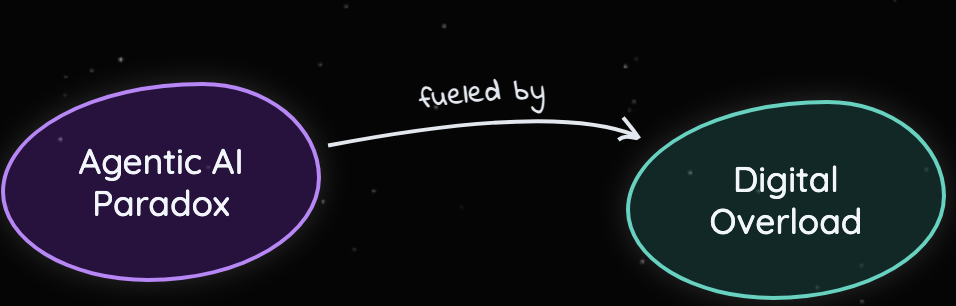 |
dashed |
Indirect or associative link — related but no direct causal chain. | (placeholder) |
3.3 Container Object (embedded in Layer)
A visual grouping of nodes within the same layer. It does not create hierarchy; it communicates that a set of nodes share a role or category.
interface Container {
  id: string;
  nodes: string[];   // Node IDs being grouped
  data: {
    label: string;
    formation?:
      | "radial"
      | "linear-horizontal"
      | "linear-vertical";
    style?: "dashed" | "none";
  };
}
Container.data.formation shares its vocabulary with Layer.layout but has a different scope: a formation arranges nodes inside the container grouping, while a layout arranges all nodes in the layer. A container can legitimately use a different formation than its enclosing layer's layout.
| Attribute | Value | When to use | How it looks |
|---|---|---|---|
Container.data.formation |
radial |
Nodes in the group radiate from a shared center; good for peer categories within the grouping. | (placeholder) |
Container.data.formation |
linear-horizontal |
Nodes in the group are arranged along a horizontal axis; good for sequences or timelines. | (placeholder) |
Container.data.formation |
linear-vertical |
Nodes in the group are arranged along a vertical axis; good for ranked lists or hierarchies. | (placeholder) |
Container.data.style |
dashed |
Container boundary is drawn with a dashed stroke. | 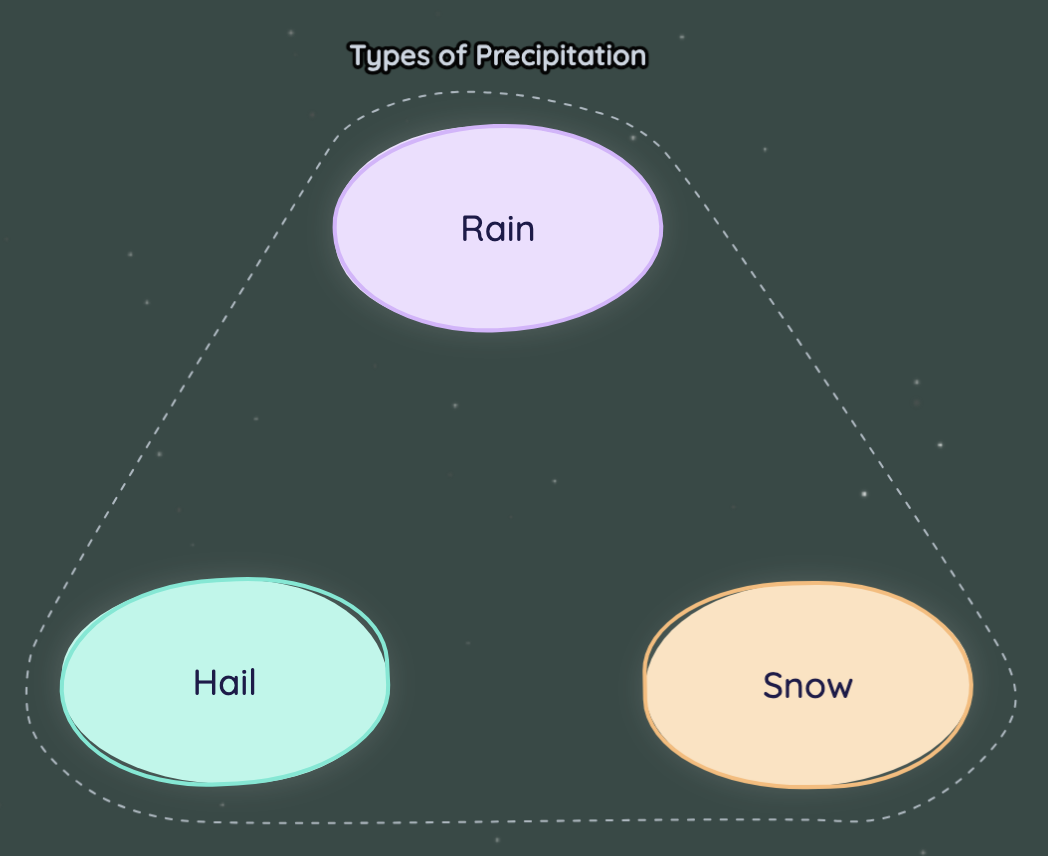 |
Container.data.style |
none |
Container boundary is hidden; grouping is logical only (used e.g. to target the group via an extension). | 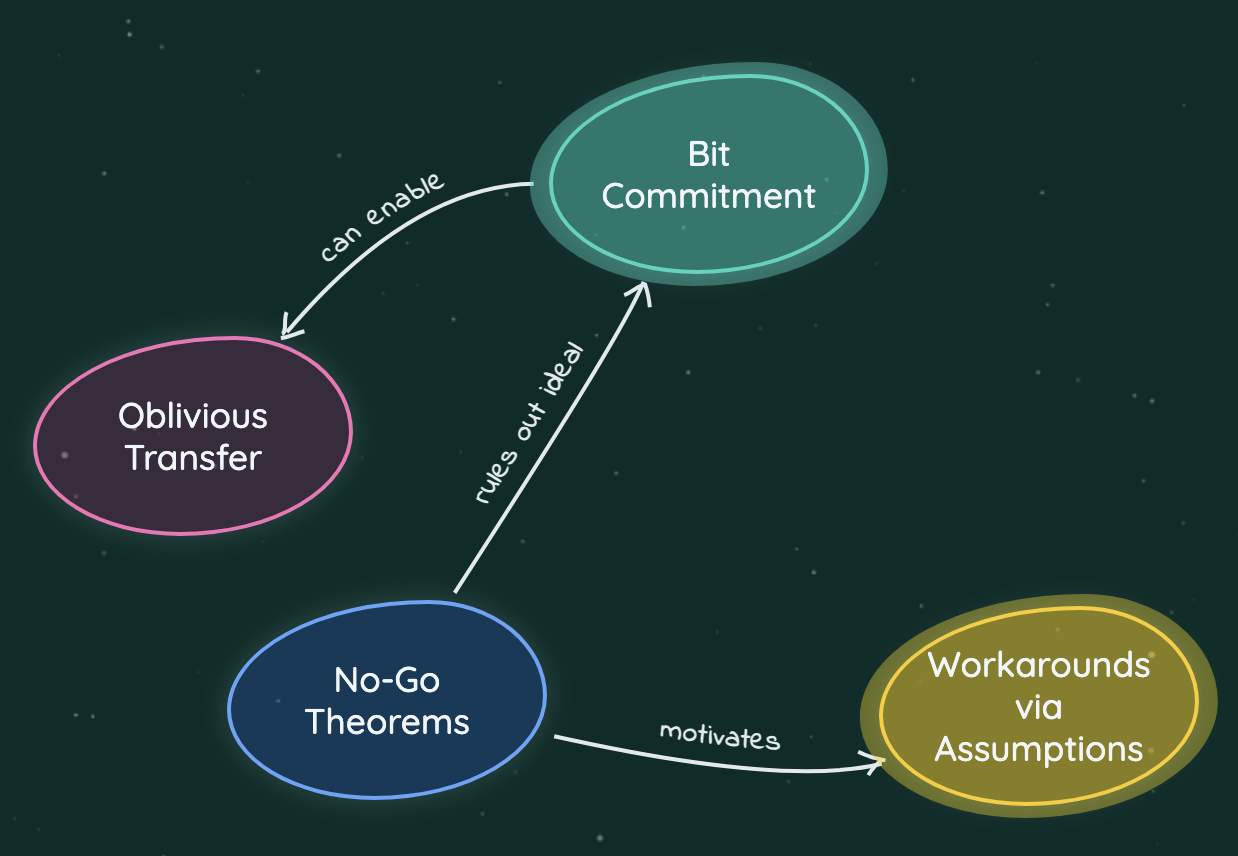 |